
CloudLibrary
OCLCBooks & Reference
4.78.02K Reviews
- Version
- 5.15.2.8
- Installs
- 1.00M
- Age Rating
- Everyone
Screenshots
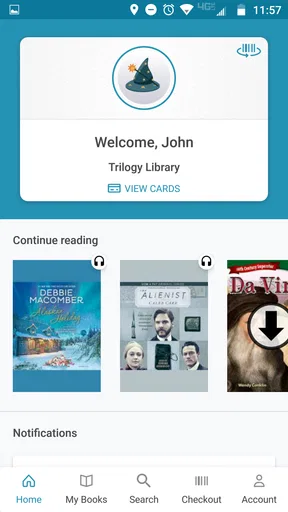
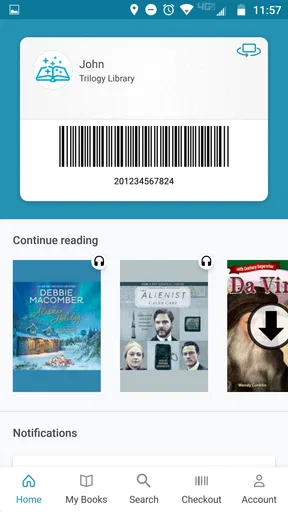
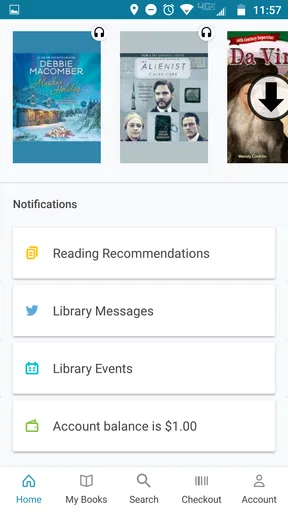
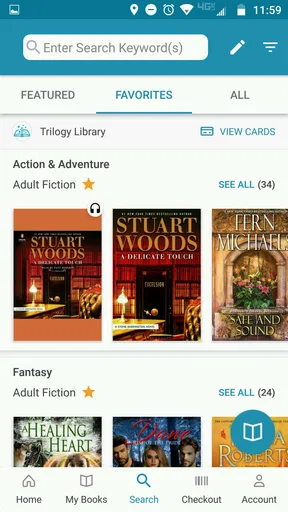
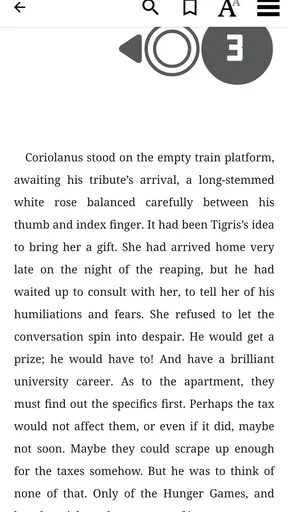
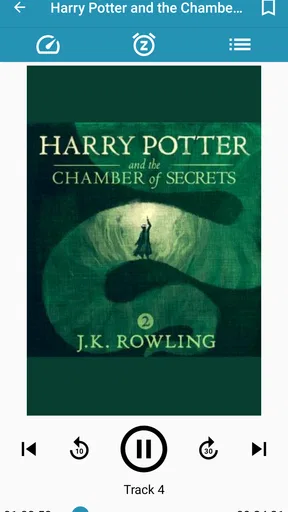
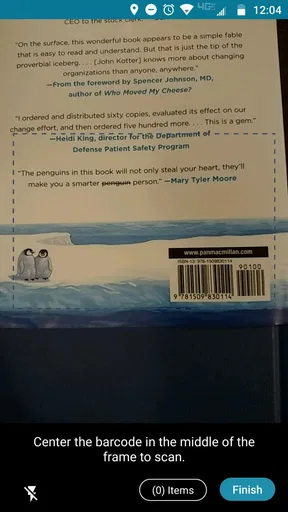
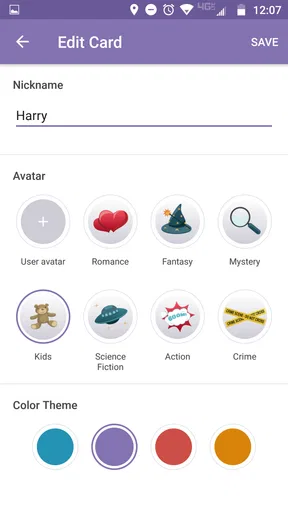
Our Review of CloudLibrary
 Analysis by Appyee
I like reading apps that solve a practical problem without trying to become an entire entertainment platform. CloudLibrary takes that approach by focusing on one useful capability: letting me borrow and read eBooks and audiobooks through a participating library service. That sounds simple, but it changes the way I plan reading, especially when I want a book for a short period rather than another permanent purchase.
Developed by OCLC, this free app sits in the Books & Reference category and is available for everyone. It has built a strong audience, with a 4.7 average from around 55 thousand ratings and more than a million installs. Those figures do not make it automatically perfect, but they do match my impression that CloudLibrary is a well-established tool for readers who already use a supported library.
Borrowing instead of buying is the real strength
The most important thing to understand is that CloudLibrary is not simply a general-purpose eBook reader with a large independent catalog. Its value comes from connecting digital reading to library borrowing. You use it to find available titles, borrow them through your library access, and read or listen within the borrowing period set by that service.
That model makes the app particularly appealing when I am curious about a book but do not want to pay for it immediately. It also works well for readers who move through several books each month, parents looking for age-appropriate material, and anyone who prefers using a library collection instead of building a personal digital shelf.
The difference from a standard bookstore app is important. With a store, the main question is usually whether I want to buy a title. With CloudLibrary, the first question is whether my library offers it and whether a copy is available. That shift encourages more casual discovery: I can try a novel, sample an audiobook, or borrow something connected to a current interest without treating every choice as a purchase decision.
The key benefit is access without ownership. For many readers, that is more valuable than having the biggest possible catalog. It keeps reading affordable and makes the library feel useful on a phone or tablet rather than tied to a physical building.
What the borrowing workflow feels like
In practical use, the experience begins with library access rather than a shopping cart. Once the app recognizes the relevant library service, I can browse the available collection and distinguish between titles that can be borrowed immediately and those that require waiting. That distinction matters because it prevents a common misunderstanding: seeing a book in the catalog does not always mean I can start it at once.
I find it helpful to treat the app as a planning tool. If a title is available, I can begin it while my interest is fresh. If it is unavailable, I can place it on my reading radar instead of repeatedly searching for it. This is a better habit than opening the app only when I have an hour free and expecting every desired book to be ready instantly.
The reading experience is most comfortable when I prepare before leaving home. I prefer to borrow a title while connected to reliable internet, open it once, and check that it appears in my reading area before travelling. The same preparation makes audiobook use less stressful, because I do not want to discover an access problem halfway through a commute or walk.
CloudLibrary is also more useful when I separate browsing from reading. I might use a larger screen to examine categories and then read on my phone later. That approach reduces the temptation to make a rushed choice based only on a cover or a short description. It also helps when I am comparing several possible books and want to keep my current loan list manageable.
Why the library connection changes everyday reading
A normal reading app often assumes that the user controls the entire collection. CloudLibrary introduces library rules into the experience, and that can be both helpful and restrictive. The helpful part is obvious: I can access digital material through an existing public resource. The restrictive part is that availability, borrowing limits, loan periods, and supported titles depend on the library service behind the app.
That means the app is not equally useful for everyone. Someone with a strong participating library collection may find it remarkably convenient, while another reader may open it and discover that the books they want are rarely available. The software cannot remove those collection differences. Before making it my main reading app, I would check whether my library has the authors, genres, and audiobook selection I actually use.
This is also why I would not judge CloudLibrary by comparing it directly with a paid subscription service. Those services may offer a more predictable catalog or a more controlled listening experience, while CloudLibrary offers a different advantage: borrowing through the library rather than paying another recurring charge. The better option depends on whether certainty of access or low-cost borrowing matters more to me.
A realistic day with CloudLibrary
Imagine that I am travelling for a weekend and want both a short novel and something to listen to during the journey. Instead of buying two titles for a trip that may leave me with little time to finish them, I can search the library collection in advance. I borrow an eBook that is ready and look for an audiobook that fits the same mood. If the audiobook is unavailable, I can choose another title rather than discovering the problem after departure.
Before leaving, I open the borrowed material and make sure I understand where it is stored inside the app. I then begin the eBook at home and use the audiobook during travel. When the trip ends, I continue the book if I am still within the loan period, but I do not have to remember to cancel a purchase or manage a growing pile of files. That is the kind of ordinary situation where CloudLibrary feels more useful than impressive: it quietly removes a small expense and a little digital clutter.
Another good scenario is research for a personal project. I might need several introductory books but only expect to consult each one briefly. Borrowing them lets me compare approaches without buying titles that may not become part of my long-term reference shelf. The trade-off is that I need to keep notes while I have access, because a loan is temporary. For serious research, I would still buy or otherwise retain the sources I expect to revisit regularly.
Families can also benefit, particularly when different readers have different interests. A child can borrow a book for a school break while an adult uses the same service for an audiobook. The Everyone content rating makes the app broadly approachable, but that does not mean every individual title is suitable for every child. I would still review the book itself and use ordinary parental judgement rather than treating the app’s age label as a recommendation for each item.
Small habits that make borrowing smoother
My first practical tip is to build a short queue of alternatives. Library availability changes the decision process, so searching for only one exact title can lead to unnecessary frustration. I usually identify a preferred book, a backup by the same author or in the same subject area, and a completely different option for the moment when I simply want something to read.
My second tip is to borrow with the deadline in mind. A digital loan is not the right place for a book I plan to study slowly over several months. It is better suited to a novel for a holiday, an audiobook for a commute, or a focused title I can finish within a realistic period. Thinking this way prevents me from filling my borrowed shelf with books I may never open.
My third tip is to use the app as a discovery layer for the library, not as my only reading archive. When I find a book that changes how I work or that I expect to consult again, I make a separate note of it. That simple habit protects me from losing track of useful titles when a loan ends.
A fourth useful habit is to check both formats before borrowing. An eBook may be available while its audiobook version is not, or the reverse. If I am flexible, I can choose the format that fits my schedule rather than waiting for one specific edition. This is especially helpful when I know I will be reading in short bursts during the day but listening during travel.
The friction points I would consider first
The biggest limitation is dependence on library support. CloudLibrary cannot compensate for a small digital collection, long waits, or a title that is not included in the service used by my library. Readers who expect immediate access to every popular release may find the borrowing model slower than a commercial store.
There is also a mental cost to temporary access. I need to remember that a loan has an endpoint, and that affects how I choose books. A conventional purchase is more forgiving when I read slowly or pause for weeks. CloudLibrary rewards regular reading and realistic planning; it is less comfortable for someone who likes to collect books now and decide when to read them later.
The app may also feel less satisfying to readers who want one permanent, unified library across every source. CloudLibrary is built around its own borrowing relationship. If I already have books spread across several bookstore apps, subscription services, and personal files, this will not magically combine them into one universal bookshelf. Its strength is focused access through the supported library, not total collection management.
Audiobook listeners should think about their habits as well. Borrowing is excellent for planned listening, but less ideal if I regularly start a long title, pause for months, and expect to return to the exact same place later. Readers with that pattern may prefer an ownership-based service for important long-form listening, while using CloudLibrary for shorter or more experimental choices.
The current version is 5.15.2.8, and the app requires an operating system version of 10 or later. That requirement is worth checking before installing, especially on an older device that still works well for other reading apps. The app itself is free, but the practical value depends on having access to a participating library collection; free installation alone does not guarantee the same catalog for every reader.
How it compares with the usual alternatives
Compared with buying eBooks individually, CloudLibrary is the better choice when I want to control spending and do not need permanent ownership. Buying remains preferable for books I annotate repeatedly, keep as references, or want available regardless of library access. I see the two approaches as complementary rather than competing: borrow for exploration and temporary reading, buy for lasting value.
Compared with subscription reading services, CloudLibrary offers a different kind of predictability. A subscription may provide a consistent interface and a catalog designed around ongoing access, while CloudLibrary follows library availability. In return, the library model can be more economical for occasional readers and for people who already use their local library regularly.
Compared with a dedicated audiobook service, CloudLibrary is strongest when I want to borrow rather than maintain a listening subscription. A dedicated service may be better for someone who listens every day and wants immediate access to a broad, stable selection. CloudLibrary is more attractive for occasional listeners, commuters testing new narrators, or readers who want to alternate between eBooks and audiobooks without adding another paid service.
Compared with a physical library visit, the app removes travel and opening-hour limitations for digital material. I can browse from home and begin a book without waiting for a physical copy to be returned. The physical library still has advantages for printed books, local recommendations, and titles outside the digital collection, so I would not treat CloudLibrary as a replacement for every library service.
Who will get the most from it
I would recommend CloudLibrary first to people who already have library access and want a straightforward way to borrow digital books. It is especially suitable for readers who finish books regularly, enjoy trying unfamiliar authors, or want audiobooks for specific periods rather than paying for permanent access.
It is also a sensible choice for students and casual researchers who need several books temporarily. The important condition is discipline: save notes and references while the loan is active, and do not assume that every borrowed title will remain available whenever inspiration returns.
I would be more cautious recommending it to collectors, slow readers, or anyone whose priority is immediate access to newly released titles. Those readers may be happier buying books or using a service with a more predictable catalog. I would also ask audiobook-heavy users whether their library’s selection matches their listening habits before depending on it for daily entertainment.
For me, the app succeeds because it keeps its central promise focused. It turns library borrowing into something I can manage from a mobile device, and it makes temporary reading feel convenient rather than inconvenient. Its limits are real, but they come mainly from the library model rather than from a failure to understand its purpose.
CloudLibrary is therefore worth installing when I want affordable access to eBooks and audiobooks and already have a supported library connection. I would begin by checking the collection, borrowing one immediately available title, and testing whether the reading routine fits my schedule. If it does, CloudLibrary becomes a practical everyday companion: not a replacement for every bookstore or reading service, but a genuinely useful bridge between the public library and the device I already carry.
Verdict
Strengths of CloudLibrary
- Borrow and read ebooks and audiobooks from participating libraries.
- Syncs your reading position across supported devices.
- Allows offline access after books are downloaded.
- Includes adjustable font, brightness, and layout settings.
- Free to use with an eligible library card.
Limitations of CloudLibrary
- Availability depends on your library’s CloudLibrary catalog.
- Popular titles may have long waiting lists.
- Some loans expire automatically without renewal options.
- The app may feel slower on older phones or tablets.
- Audiobook and ebook features can vary by title.
Similar Picks in This Category
View All
Google Play Books & Audiobooks
Google LLC4.7

네이버 - NAVER
NAVER Corp.3.5

Wattpad - Read & Write Stories
Wattpad.com3.7

King James Bible - Verse+Audio
Ozion4.8

Bible Offline-KJV Holy Bible
Bíblia Offline4.9

Amazon Kindle: Reading App
Amazon Mobile LLC4.8
Frequently Asked Questions
What is CloudLibrary and what can I use it for?
CloudLibrary is a digital lending app that connects users with participating public libraries and allows them to browse, borrow, and read or listen to available eBooks and audiobooks. After signing in with a supported library card, you can search the catalog, place holds, manage loans, and download titles for offline access, depending on your library’s collection and lending policies.
Do I need a library card or a paid subscription to use CloudLibrary?
You generally need a valid library card from a library that supports CloudLibrary. The app itself is normally free to download and does not require a separate monthly subscription, but access depends on your library membership. Some libraries may require additional account details, a PIN, or registration through their website before you can borrow digital content.
Can I read eBooks and listen to audiobooks offline?
Yes, CloudLibrary usually lets you download borrowed eBooks and audiobooks to your device so you can use them without an internet connection. This is particularly useful when traveling or when mobile data is limited. Offline availability lasts only for the loan period, and downloaded titles may become inaccessible automatically when the borrowing period ends.
How do borrowing limits, holds, and returns work in CloudLibrary?
Borrowing limits and loan periods are determined by your library, so they can vary considerably between regions. If a title is unavailable, you can normally place it on hold and receive a notification when it becomes ready. Titles are typically returned automatically at the end of the loan, although some libraries may also allow early returns through the app.
Which devices are compatible with CloudLibrary, and is my progress synchronized?
CloudLibrary is designed for supported Android and iOS smartphones and tablets, although exact compatibility can depend on your operating system version and device model. When you sign in with the same library account, your loans and account information can generally be accessed across supported devices. Reading or listening progress may depend on the title and synchronization support.
